
A tidy-up every day, while you work.
Once a day, when your Mac is idle, Roomy removes what rebuilds itself. A short note tells you what it freed, and the history keeps every tidy-up.
Roomy clears out temporary files, forgotten installers and old Trash every day, on its own. You’ll never see “Your disk is almost full” again.
Free to try. Autopilot is $19.99, once. Requires macOS 15 or later.



Roomy says hi and asks to look after your home folder.

macOS asks you to confirm. Roomy then shows you what’s filling your Mac.

Close the window and forget about it. Roomy keeps working from the menu bar.

Every folder in your home, sized by the space it takes. Roomy marks what’s safe to remove and what deserves a look first, then cleans it in one click.
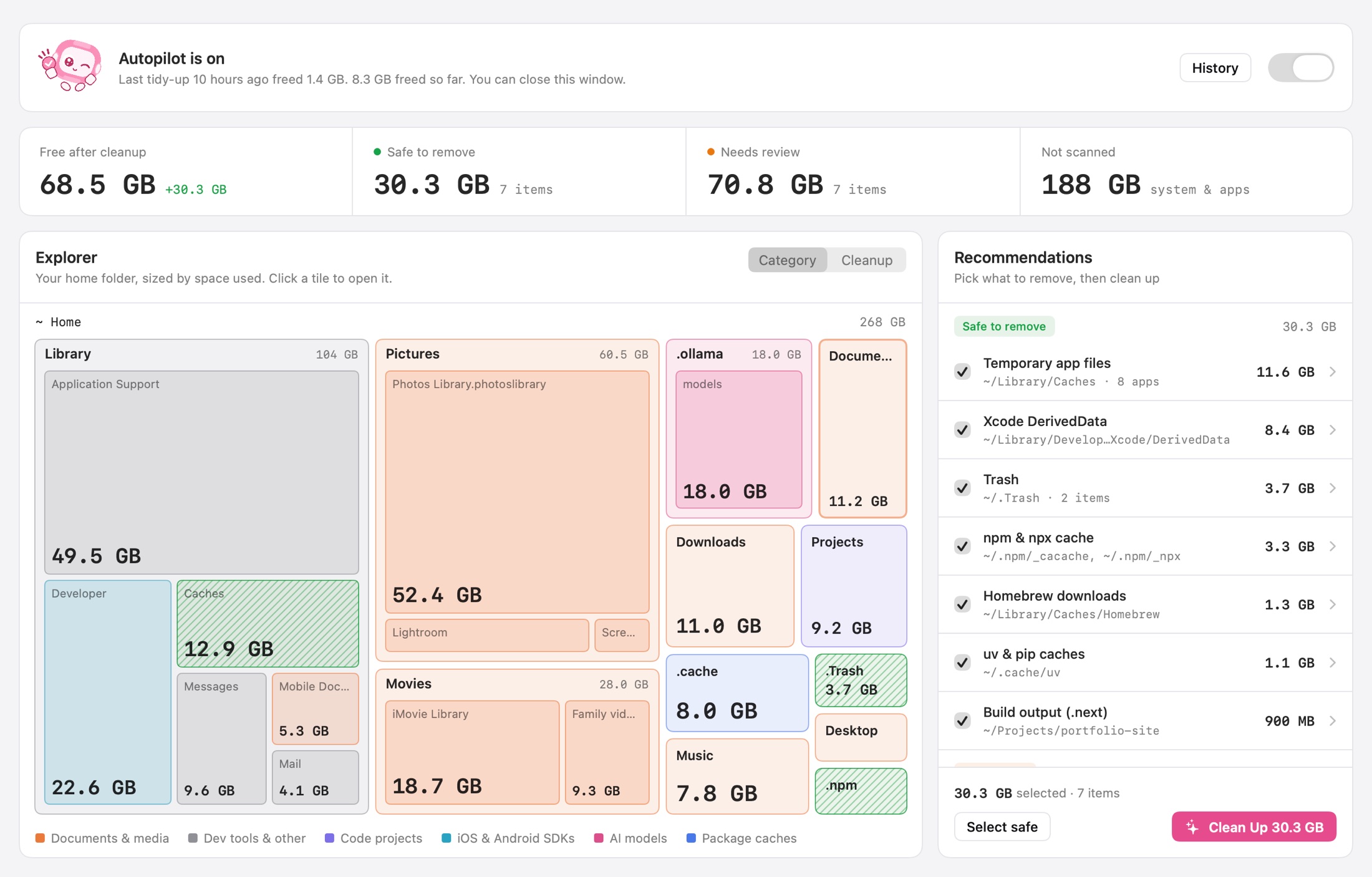
Most Macs don’t fill up with one big thing. They silt up with caches, installers and Trash. Roomy clears that out every day, so you don’t have to.
Once a day, when your Mac is idle, Roomy removes what rebuilds itself. A short note tells you what it freed, and the history keeps every tidy-up.

Below 10% free, Roomy doesn’t wait for tomorrow. It cleans right away and lets you know.

No window to keep open and no Dock icon. Your free space and the last tidy-up are one click away.


It never opens or reads your files, and nothing about them leaves your Mac. No account, no cloud, no tracking. The only time Roomy goes online is to check your App Store purchase.

$19.99 one time
Roomy Pro is bought inside the app through the App Store. No subscription.

On its own, only things that rebuild themselves or that you already threw away: caches of apps that aren’t open, Trash older than 30 days, installers in Downloads you used more than a week ago, and developer caches over 1 GB. Everything else is a suggestion you approve yourself.
No. Autopilot never touches photos, videos, documents, your Desktop, music, Mail or Messages. Those folders show up on the map so you can see them, nothing more.
Installers go to the Trash first and stay there for 30 days. When you clean up by hand, you can choose “Move to Trash instead” to keep everything recoverable.
Mac App Store apps can only see the folders you allow. Roomy asks once, remembers your answer, and never needs to ask again.
Roomy tidies up once a day when your Mac is idle, at low priority. The rest of the time it simply sits in the menu bar.
No. Roomy is free to try. Roomy Pro, which adds Autopilot and unlimited cleanups, is a single $19.99 purchase that includes every future update.
Yes. Roomy Pro is bought through the App Store, so it works on every Mac signed in with the same Apple Account.
A Mac with macOS 15 Sequoia or later.


